Sedir Therapy session tracker
English  ·  Türkçe

An easier way to keep track of your practice.

Your calendar builds itself from your regular clients. Mark a payment with one tap, and change a day or time in seconds. Instead of paper or a spreadsheet, everything sits in one place, under your thumb.

Your records stay on your phone.
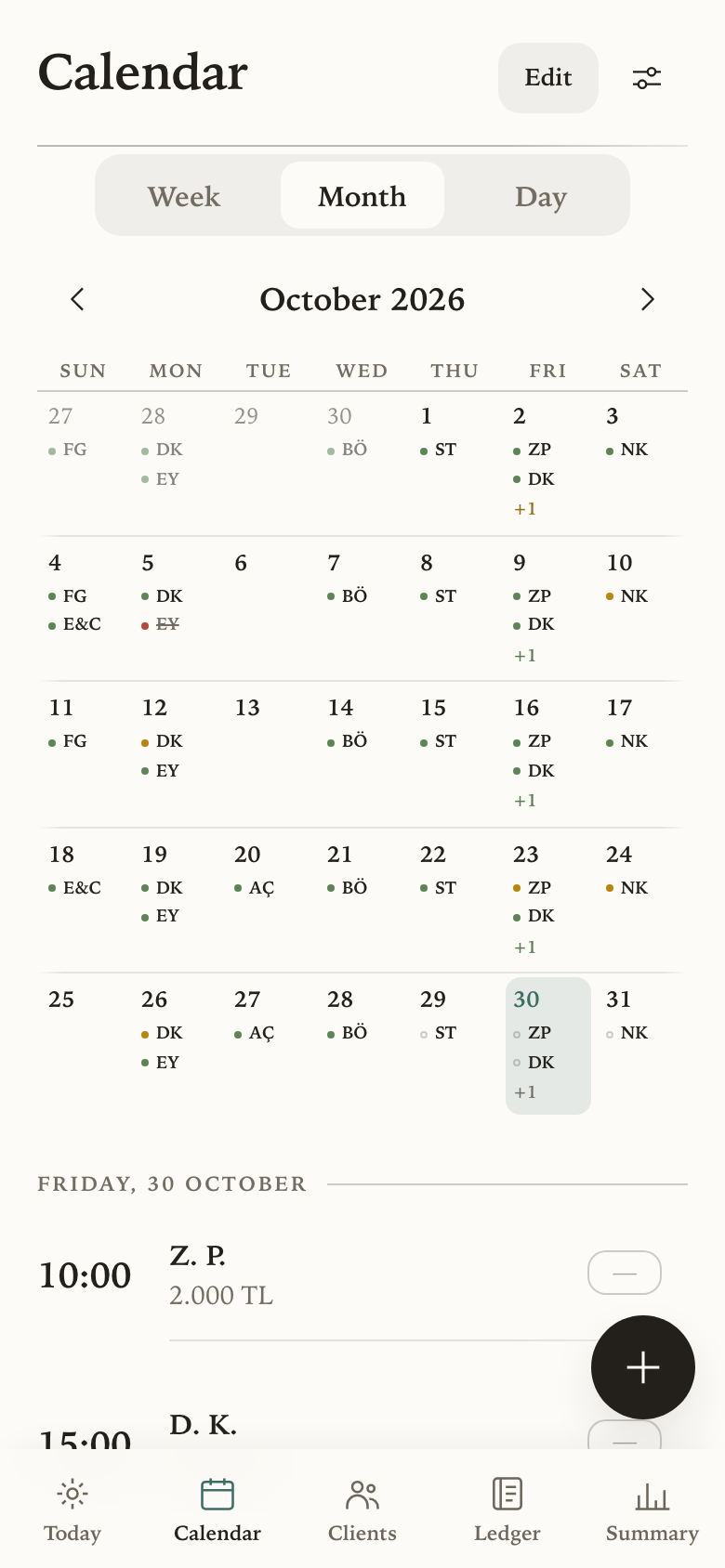
The month calendar, each day showing its sessions coloured by payment state.

Privacy

Your records are never sent anywhere. The app runs on your phone, and that is where your data stays.

No server

Sessions, fees and notes never reach a server, so nobody else can read them.

Works offline

With no signal at all, everything still opens, saves and adds up.

Your backup, your call

Records leave your phone only as a backup file you choose to save.

What it does

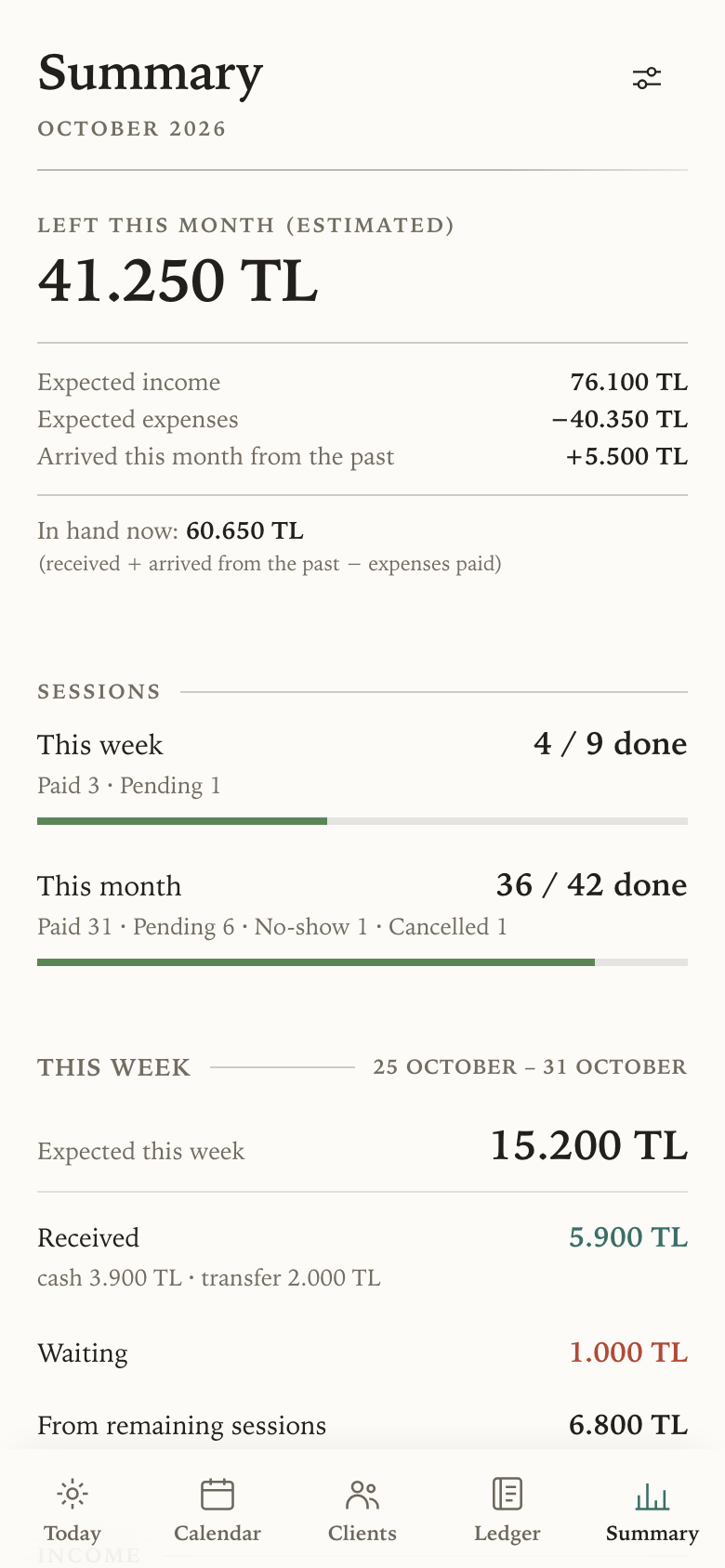
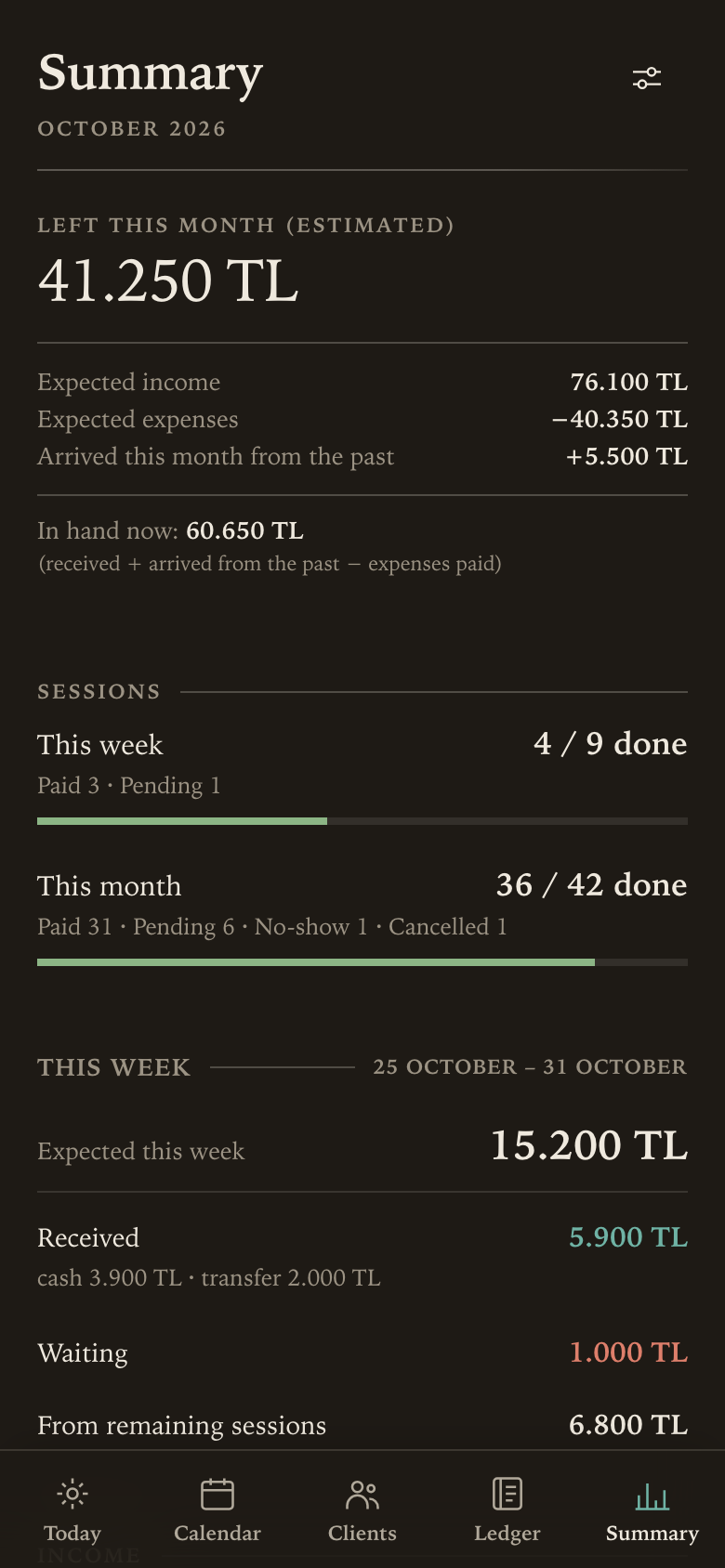
The summary screen, opening on the projected figure for the month.

Everything in one glance

This month's income, costs, payments still waiting, and what you will have at the end of the month. One screen, no adding up.

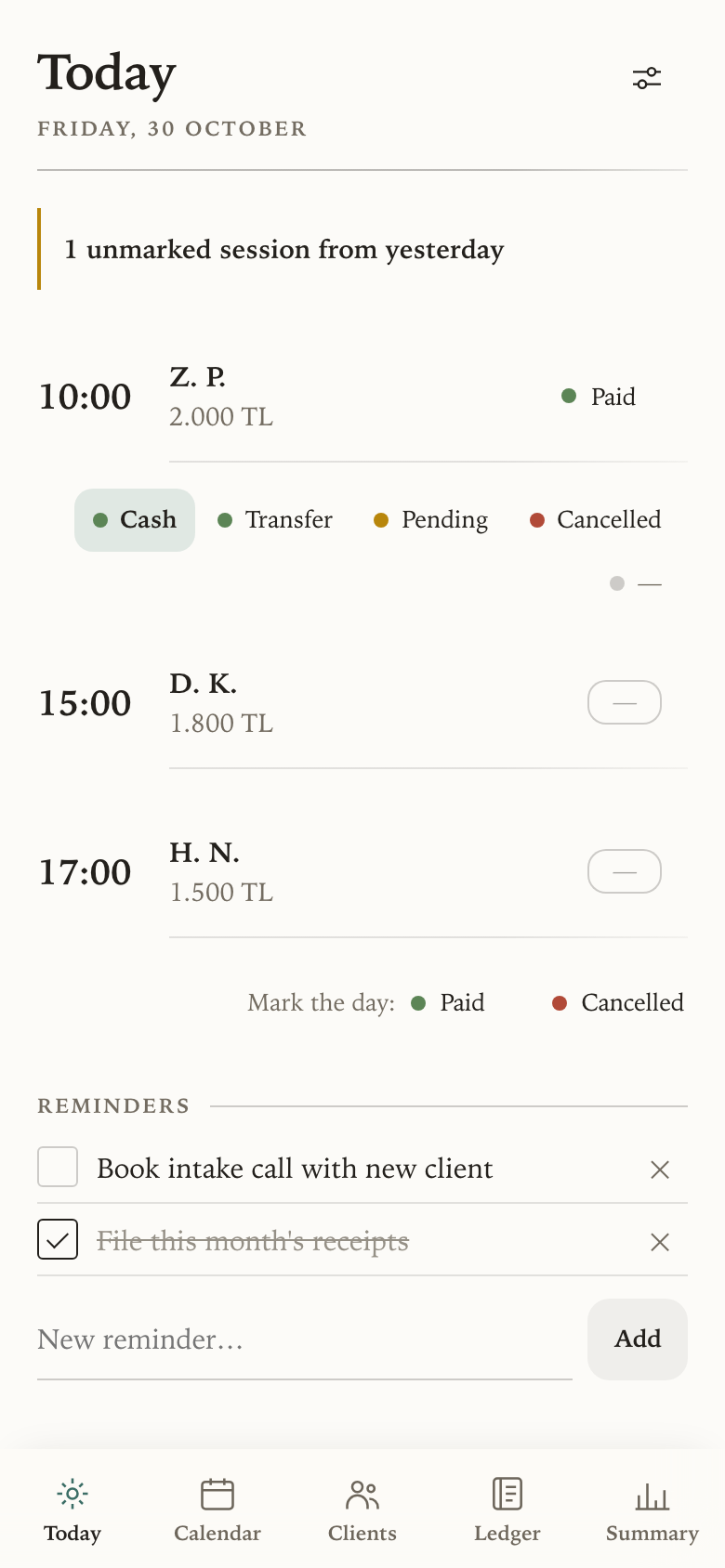
Today's screen after one tap: the first session marked paid, with the other outcomes beneath it.

Marking, not filling in forms

After a session, tap its status: paid. Pending, cancelled or transfer are right beneath it. No form to fill in, and nowhere else to go first.

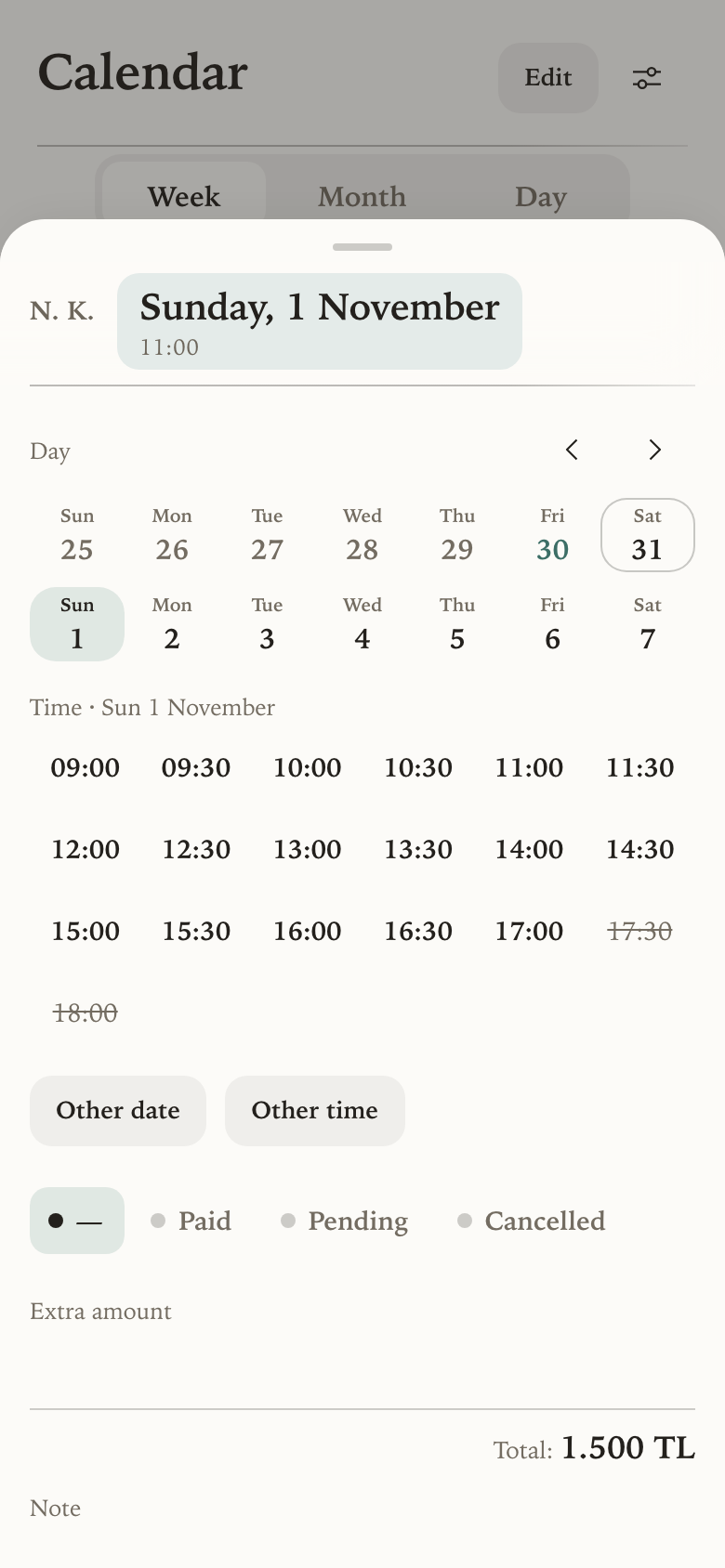
A session's sheet with its date and time open: two weeks of days, and the start times with taken ones struck through.

Changing a day or time is easy

Tap the session's date and time, pick the new day and time, and that is it. Or hold the session and drag it across the calendar. There is an editing mode for a busy week, and every change can be undone.

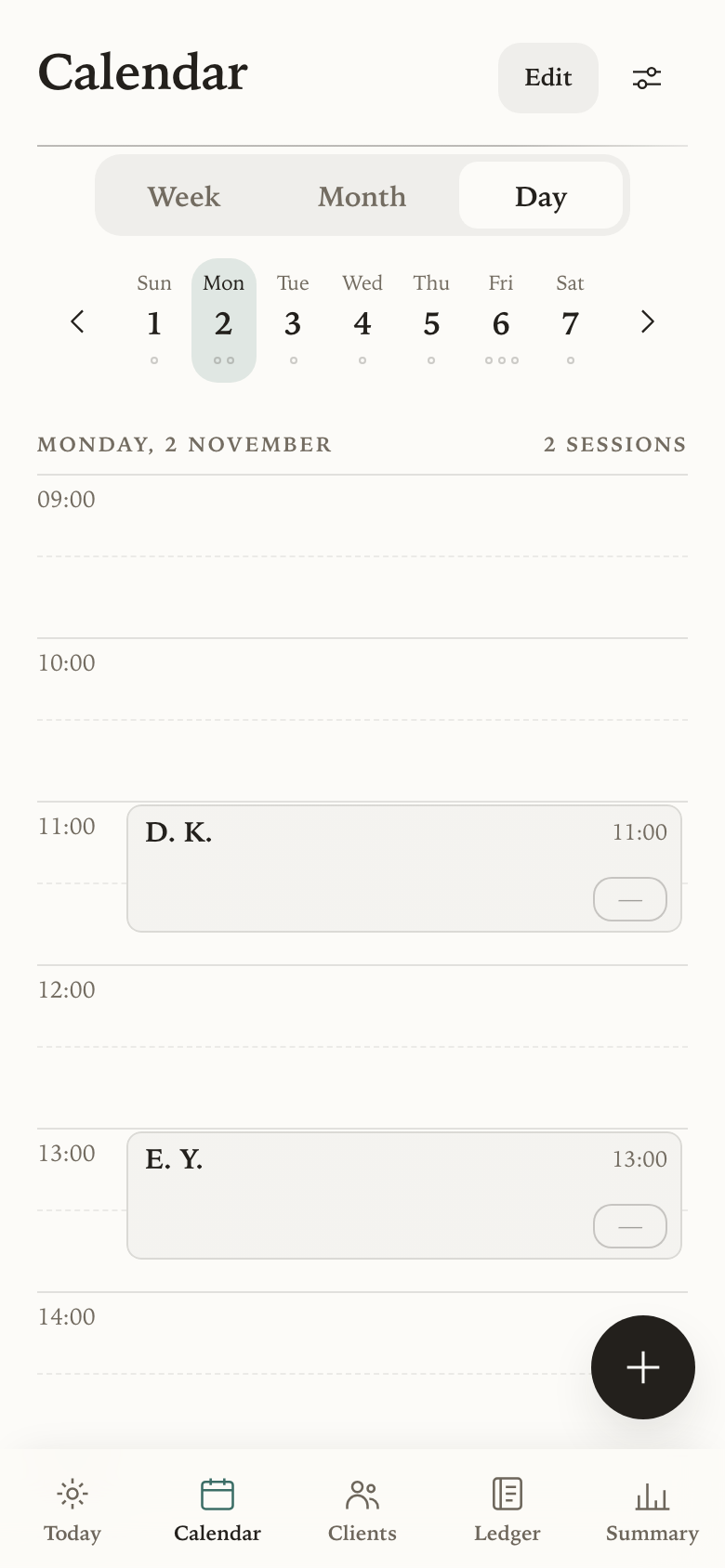
The day view: the week strip above, and the day drawn as a timeline in half hours with two sessions on it.

The calendar keeps itself up to date

Set a client's day, time and fee once, and their sessions appear every month on their own. The day view shows your free hours at a glance.

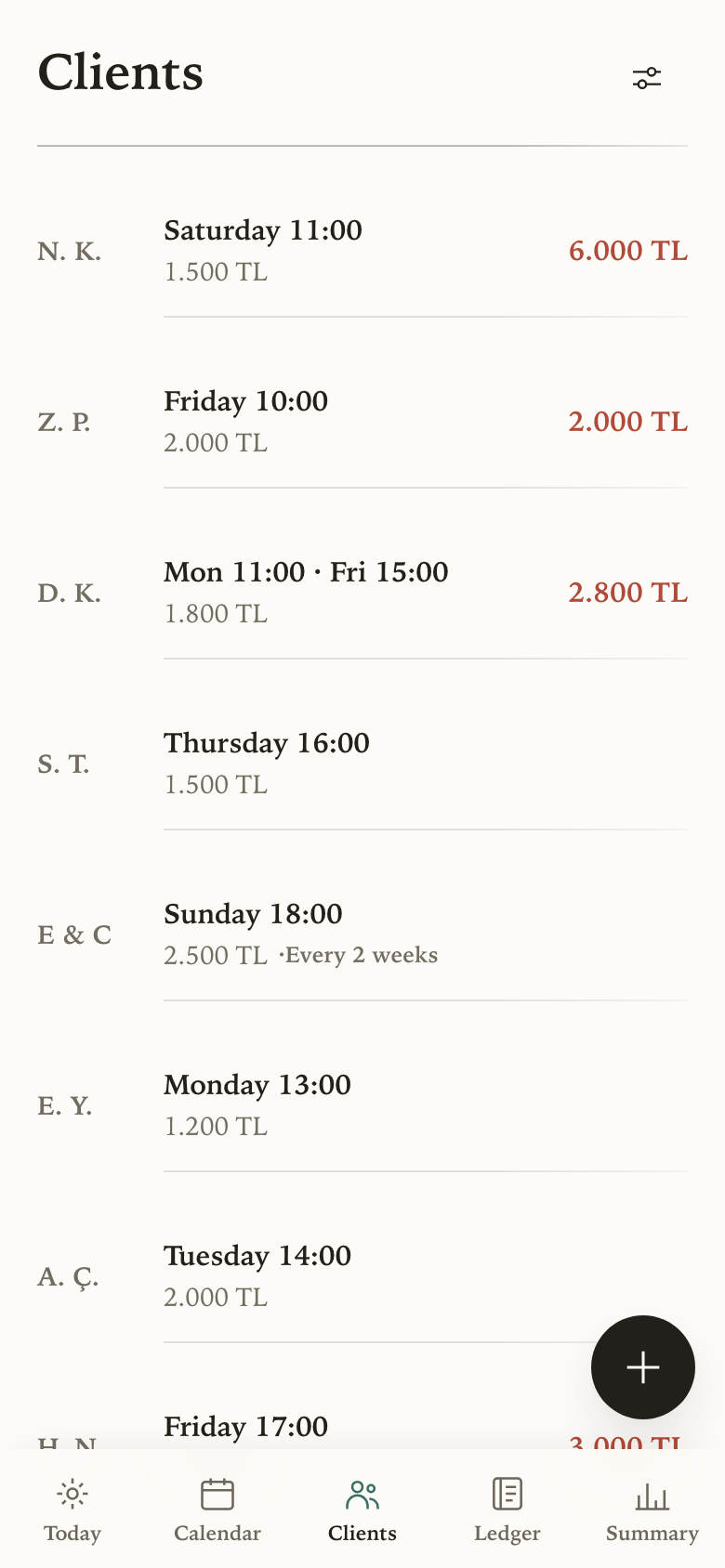
The client list, showing each person's session day, fee and anything they owe.

Waiting payments, easy to track

Unpaid sessions stay beside the client in red until they are settled. Charged cancellations count too, so nothing has to be carried in your head.

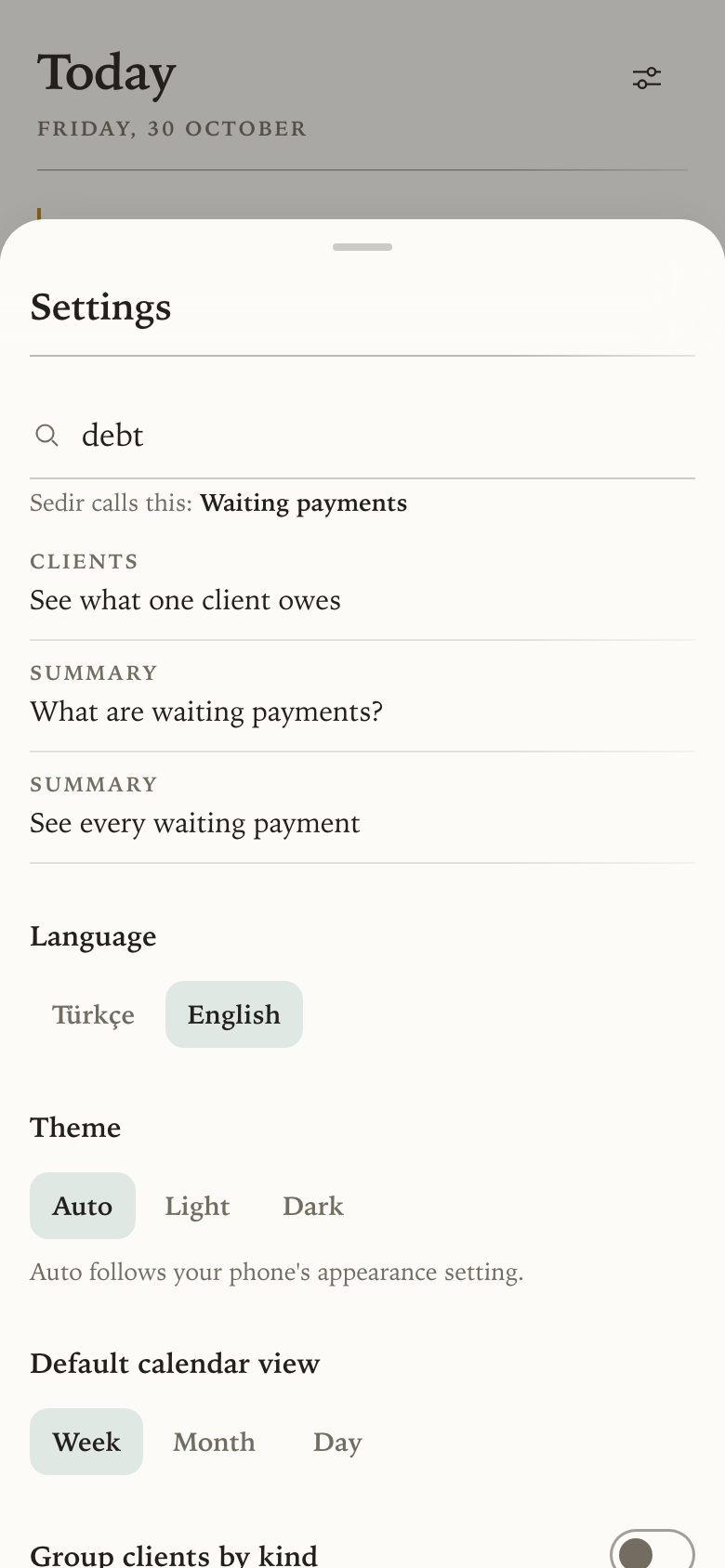
The guide in settings with debt typed in the search box, a line saying Sedir calls this waiting payments, and the matching how-tos.

Help when you need it

A guide of forty how-tos sits in settings. Search it in your own words: “debt” finds pending payments. The Show button takes you straight to the place.

Every figure and set of initials in these screens is invented.

Setting it up

It takes about ten minutes once, and a few taps a day after that.

  1. Add your clients. Initials, fee, and the day and time you usually see them.
  2. Add your expenses. Rent, supervision, the accountant. Monthly ones repeat on their own, and any income from outside sessions goes here too.
  3. Use it day to day. The calendar has already filled itself in; update each session's status after it.
  4. Check the summary whenever you want to know where you stand.

If you have been given access, every step from installing it to updating your first session is here: Installing Sedir on your phone.

A few things worth knowing

Easy on the eye

The same summary screen in the dark theme.

It reads like a page rather than a dashboard. One typeface, plenty of room, soft lines that fade at their ends, and no boxes drawn around things that do not need them. Light or dark, following your phone unless you would rather choose.

Colour is only ever used to mean something. These four are the payment states, which is why nothing else is allowed to borrow them.

Paid Waiting Cancelled Not marked yet

Where it is now

It was built for one practice, then tested with therapists who run their own. A handful of them keep their work in it every day. It is not open to everyone yet, and it is still getting better in the places daily use keeps pointing at.

If you run a practice and want to try it, write to sedir.support@gmail.com.